Share Temporary Notes Online Quickly
Learn how to share temporary notes online quickly for study, work, code snippets, reminders, and simple text collaboration.
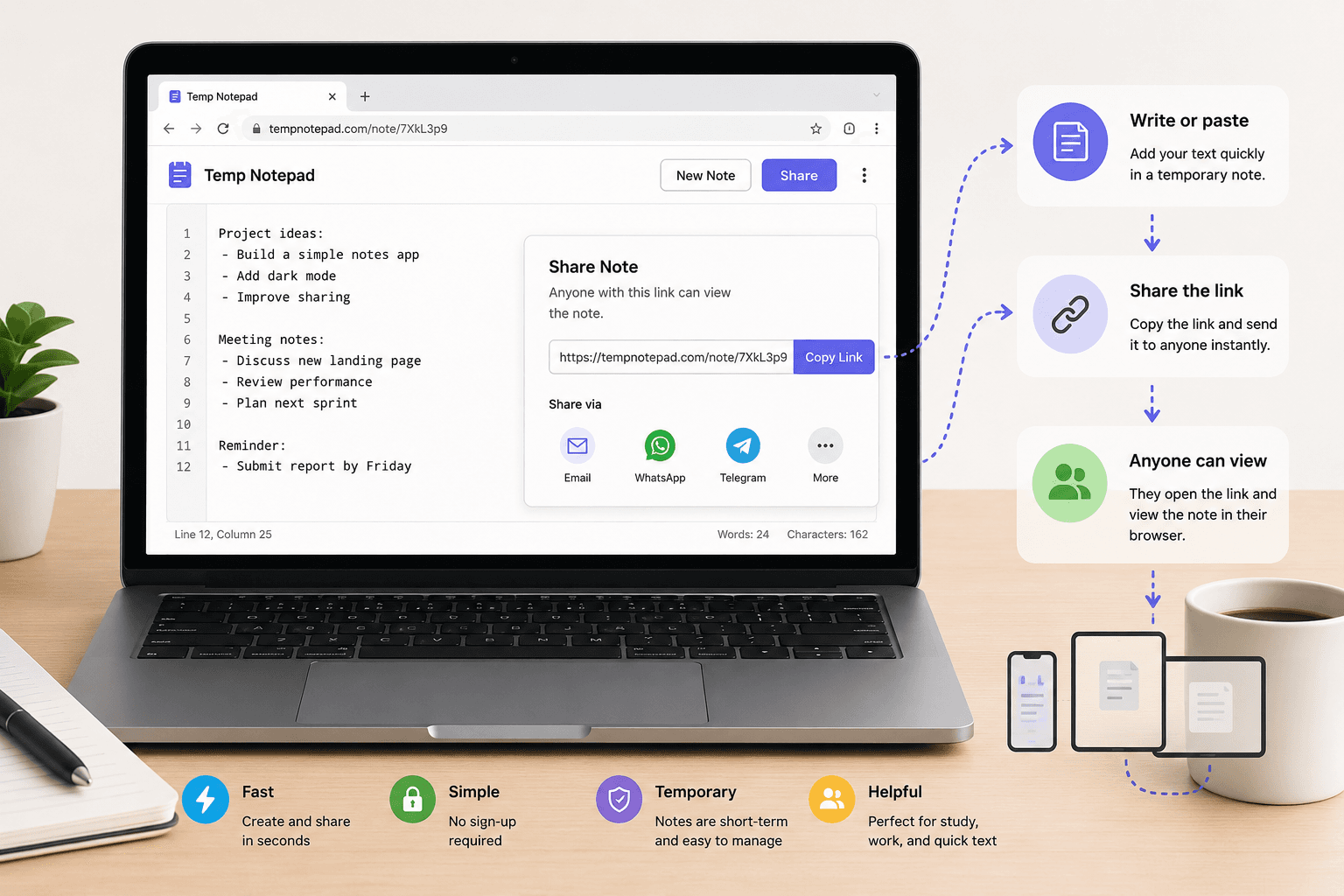
Sharing temporary notes online is one of the fastest ways to move text between people and devices without opening a heavy document tool. A browser-based text pad works especially well when the goal is speed, simplicity, and one-time collaboration.
Key takeaways
- Temporary notes are best for short-term text sharing.
- They are useful for students, developers, teams, and quick reminders.
- Simple sharing works best when the information is not highly sensitive.
- Internal links and clear page structure make support content more useful.
What temporary note sharing means
Temporary note sharing usually means opening a browser page, writing or pasting text, and sending that page link to another person. The process is much faster than setting up a full document workspace when the task is small.
This style of sharing is useful when the information is short-lived, such as a rough draft, copied text, class points, links, instructions, or quick snippets for review.
When this method works best
A temporary notepad is ideal when speed matters more than formatting, permissions, or long-term storage. It works well for students during class, freelancers sharing drafts, and developers sending short code or command examples.
It is also helpful when you need to move text between a phone and a laptop without emailing yourself or installing extra apps.
Basic best practices
Keep the note focused on one purpose so the person opening it understands the context immediately. A messy multi-topic note is harder to use and less helpful.
Avoid putting passwords, financial records, legal documents, government identifiers, or highly confidential information into a temporary note tool unless you fully understand the privacy and storage model of the service.
Why simple tools are still valuable
Many online tools add friction by requiring accounts, folders, and workflow setup before the user can do anything. Temporary note tools solve the opposite problem: they remove unnecessary steps for small tasks.
That simplicity is the main value. When the need is only to write, paste, copy, and share text quickly, a lightweight tool can be more useful than a full productivity suite.
Frequently asked questions
What is the fastest way to share temporary notes online?
The fastest way is usually a browser-based notepad that lets you open a page, write text, and share the link immediately.
Are temporary note pages good for team use?
They are good for lightweight teamwork, rough collaboration, and quick text exchange, especially when the content is short-lived.
Should I store sensitive information in a temporary note?
It is better to avoid storing highly sensitive data in temporary note tools unless you clearly understand the privacy and security model of the service.
Related articles
Try TempNotepad
Want to create and share a temporary note right away? Open the homepage and start writing instantly without signing up.
Open TempNotepad